


LinkedIn AI Tools: Key Elements of an Impressive LinkedIn Profile

LinkedIn has quietly turned into the place for networking, job hunting, and career growth. And yes, besides checking what your old university classmates and ex-colleagues are up to, it’s actually a very powerful platform to build your professional image, attract better opportunities, and even promote your own business.
But once you sign up, things get tricky fast. You suddenly have to write an About section, a summary, describe your work experience, and you can’t just drop a funny one-liner about loving dogs and cooking pasta like you do on X or Instagram. The good news is you don’t have to suffer through it alone. This is exactly where AI can help you turn your thoughts into a clear, sharp LinkedIn profile without the pain – one of those LinkedIn tricks and hacks that actually makes things easier instead of more confusing.
Key elements of an impressive LinkedIn profile:
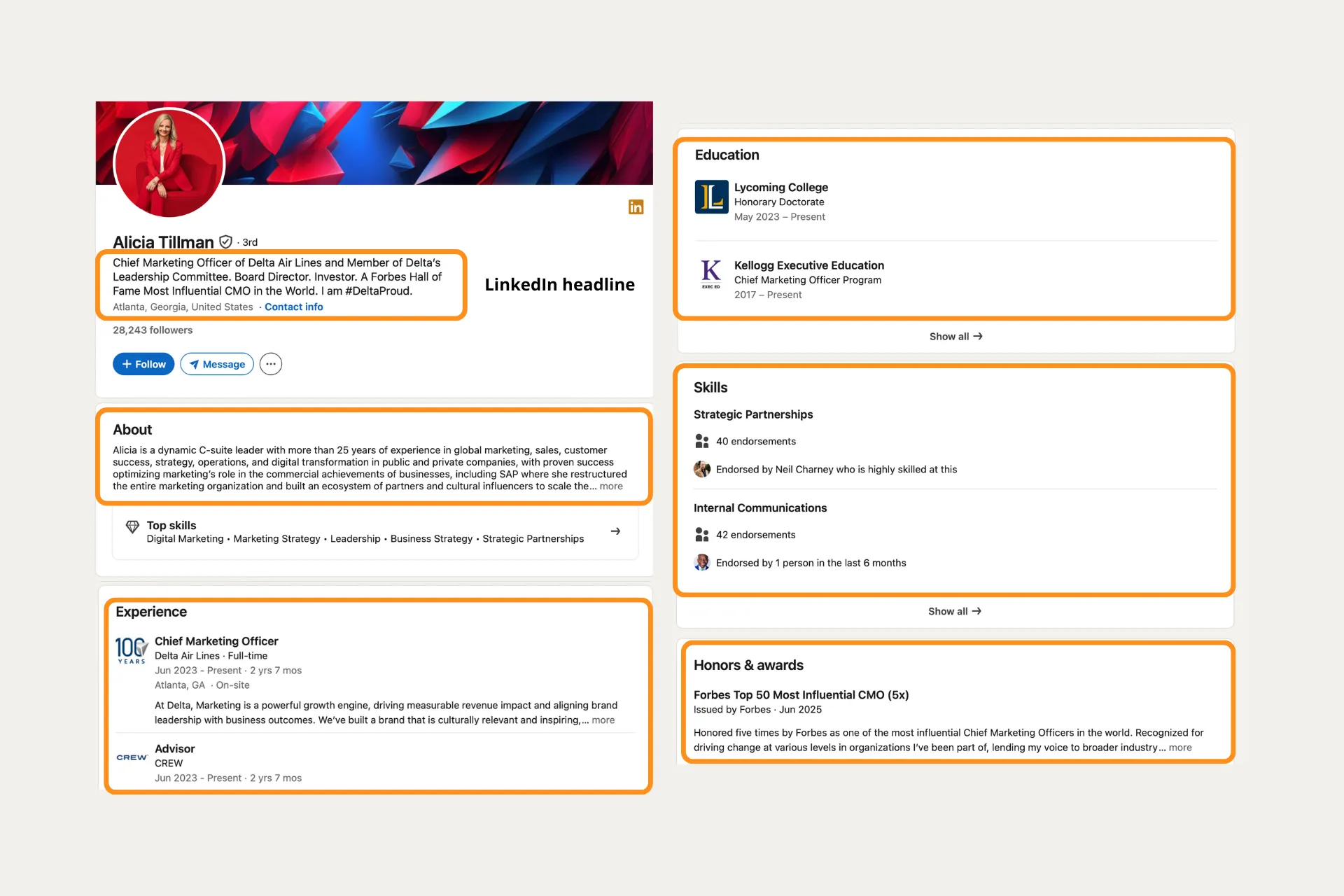
Before you touch AI or templates, it helps to know the key elements of an impressive LinkedIn profile you actually need to fill out properly.
✔️ LinkedIn headline
This is the short line under your name – a mix of your role, niche, and the value you bring.
✔️ About (Summary) section
Your mini-story: who you are, what you’ve done, what you’re good at, and what you’re looking for.
✔️ Experience section
Your work history with roles, responsibilities, and achievements in each position.
✔️ Education section
Your degrees, courses, and relevant training that shaped your expertise.
✔️ Skills section
A list of your professional skills, tools, and areas of expertise that others can endorse.
✔️ Honors & Awards section
Scholarships, prizes, certifications, and recognitions that show external proof of your work.
Why your LinkedIn profile is harder to write than it looks
On paper, it’s just a few boxes. In reality, you’re suddenly asked to write your whole LinkedIn profile at once: a headline, an About, and something that sounds like a LinkedIn profile job description for every role you’ve ever had.
The blank page problem
You open LinkedIn, click on the About section… and suddenly forget everything you’ve ever done in your life. You know you have experience, projects, wins – but turning it into a few coherent paragraphs feels impossible. So you either procrastinate or write something super generic and hope no one notices.
Talking about yourself feels awkward
You probably know the feeling:
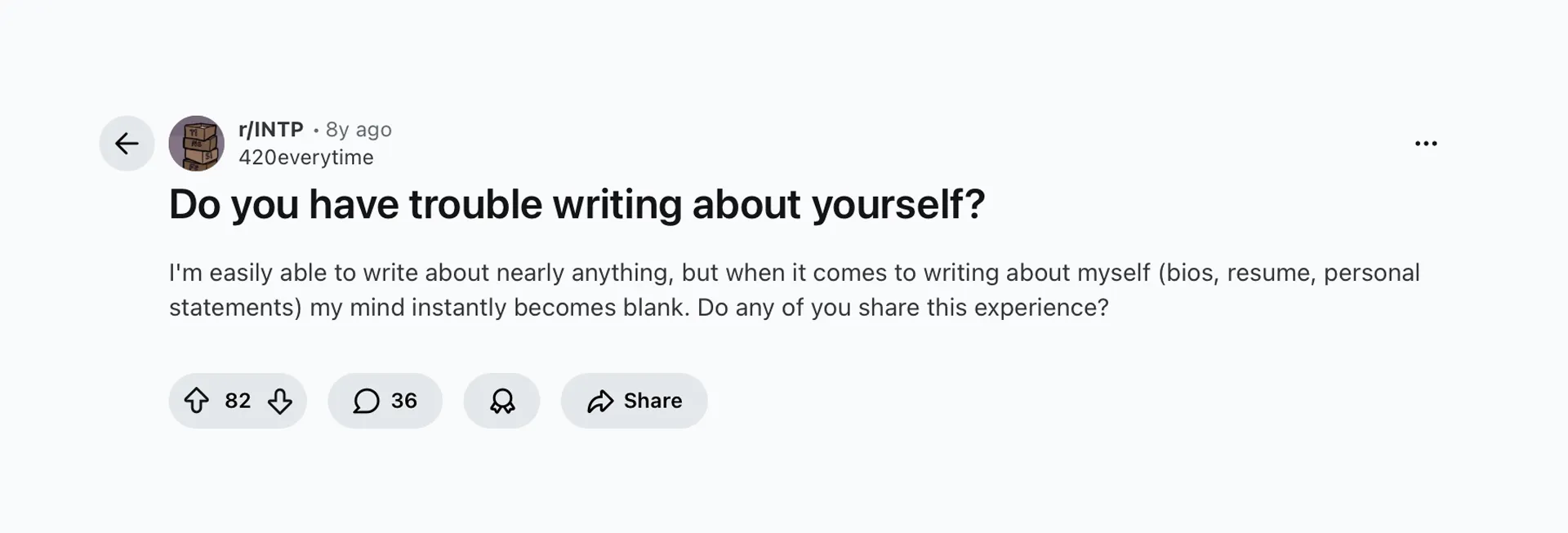
Writing about yourself can be weird. If you’re too modest, your profile reads like you’ve never achieved anything. If you’re too confident, you’re worried it sounds braggy. Summarizing your experience, achievements, and personality in a way that feels honest and professional is much harder than it looks.
Your profile sounds like three different people wrote it
Maybe you wrote your About section two years ago, quickly added a new job last month, and posted something completely different in tone last week. The result? Your profile feels fragmented – formal in one place, super casual in another. Instead of a clear, consistent story, it looks like random pieces glued together.
That’s exactly the kind of mess Letterly is good at untangling: you talk it out once, and the app helps you turn it into a clear, unified profile.
How can you create your LinkedIn profile step by step with AI tools?
Writing a good LinkedIn profile is mostly a thinking problem, not a typing problem. You know your story, but turning it into clear, structured text is where things fall apart.
Step 1 – Clarify your story with an AI coach
Before you open LinkedIn, it helps to get clarity on your story. You can use any GPT-style chat (for example, ChatGPT) as a mini career coach – your own LinkedIn AI for profile planning and positioning.
You can literally paste something like this into the chat:
“Act as a LinkedIn branding coach. Ask me questions to clarify my positioning, experience, and goals so I can write a better LinkedIn profile.”
Then answer questions like:
- What do you want LinkedIn to do for you in the next 6–12 months? (new job, clients, speaking gigs, networking?)
- What roles, industries, or types of clients are you targeting?
- Which 3–5 achievements are you most proud of?
- What problems do you help companies or people solve?
- What tools, technologies, or methods are you strong at?
- What do colleagues usually come to you for?
- What topics do you want to be known for on LinkedIn?
- What makes you different from other people with a similar title?
By the end of this mini-interview, you should have a clearer picture of:
✅ Who you are professionally
✅ Who you want to reach
✅ What results you can deliver
Keep this chat open – you’ll use it as a cheat sheet.
Step 2 – Talk through your story in Letterly to create your About section
Now it’s time to switch from thinking to talking.
- Open Letterly.
- Hit record and, using your AI-coach answers as a guide, talk for 3–5 minutes about:
- Who you are and what you do now
- Short version of your career path
- 3–5 key achievements or projects
- Who you help and how
- What you’re looking for next (roles, clients, opportunities)
Don’t worry about being perfect. You can ramble, repeat yourself, say “uhm” every second – Letterly doesn’t care and will handle everything.
- When you stop the recording, Letterly will transcribe everything for you.
- Choose the LinkedIn “About” section rewrite option, and Letterly will turn your text into a ready-to-use section.
- If you want, you can then apply a rewrite option to make it:
- More formal / more casual
- Shorter / more detailed
- Copy the version you like into your LinkedIn About field and tweak tiny details (dates, numbers, names).
To make it clearer, let’s compare writing LinkedIn content by yourself with doing the same thing using Letterly:
Writing your LinkedIn profile: yourself vs with Letterly:
| Aspect | Writing it yourself 😖 | With Letterly 😎 |
|---|---|---|
| Getting started | Staring at a blank box, rewriting the first sentence | Hit record, talk for 3–5 minutes |
| Capturing your real voice | Easy to over-edit and sound stiff | You speak naturally, app cleans up the phrasing |
| About section | Either too short, too long, or all over the place | Structured paragraphs generated from one voice note |
| Experience section | Hard to turn “did my job” into concrete achievements | Talk through each role, get clear bullet points |
| Time spent per section | 30–60 minutes (or weeks of procrastination) | 5–10 minutes including a quick edit |
| Consistency of tone | Depends on your mood the day you write it | Same style across About, Experience, and posts |
| Creating LinkedIn posts | “I should post something…” → nothing | Capture ideas as voice notes → ready-to-post drafts |
| Overall feeling | Draining, easy to postpone | Simple: talk, review, copy–paste into LinkedIn |
With the right LinkedIn AI tools, you can cover the key elements of an impressive LinkedIn profile without spending evenings rewriting the same paragraph. 😊
Got questions? Email us at hi@letterly.app – we’re happy to help.