


How to Write a LinkedIn Post Fast and Effectively: A Simple Framework

You already have something worth sharing. Real experience. Practical lessons. Small wins you earned the hard way. But if you’ve never posted on LinkedIn, the hardest part isn’t expertise. It’s content creation: where to start, what to say, how to say it without sounding awkward.
The good news is you don’t need more inspiration. You need a process. If you’ve been wondering what is the best linkedin post format, it’s usually a simple structure that’s easy to skim on mobile.
In this article, you’ll learn a simple, repeatable way to write LinkedIn posts. You’ll also complete a few quick mini tasks as you read, so by the end you’ll have your first post drafted and ready to publish.
How LinkedIn is different from other social media
A lot of people write LinkedIn posts like Instagram captions: short, vague, vibe-based, and heavy on emojis or motivational lines. On LinkedIn, that usually lands as noise. The platform is built for a different mindset, so your content has to match it.
LinkedIn is a professional feed, not an entertainment feed
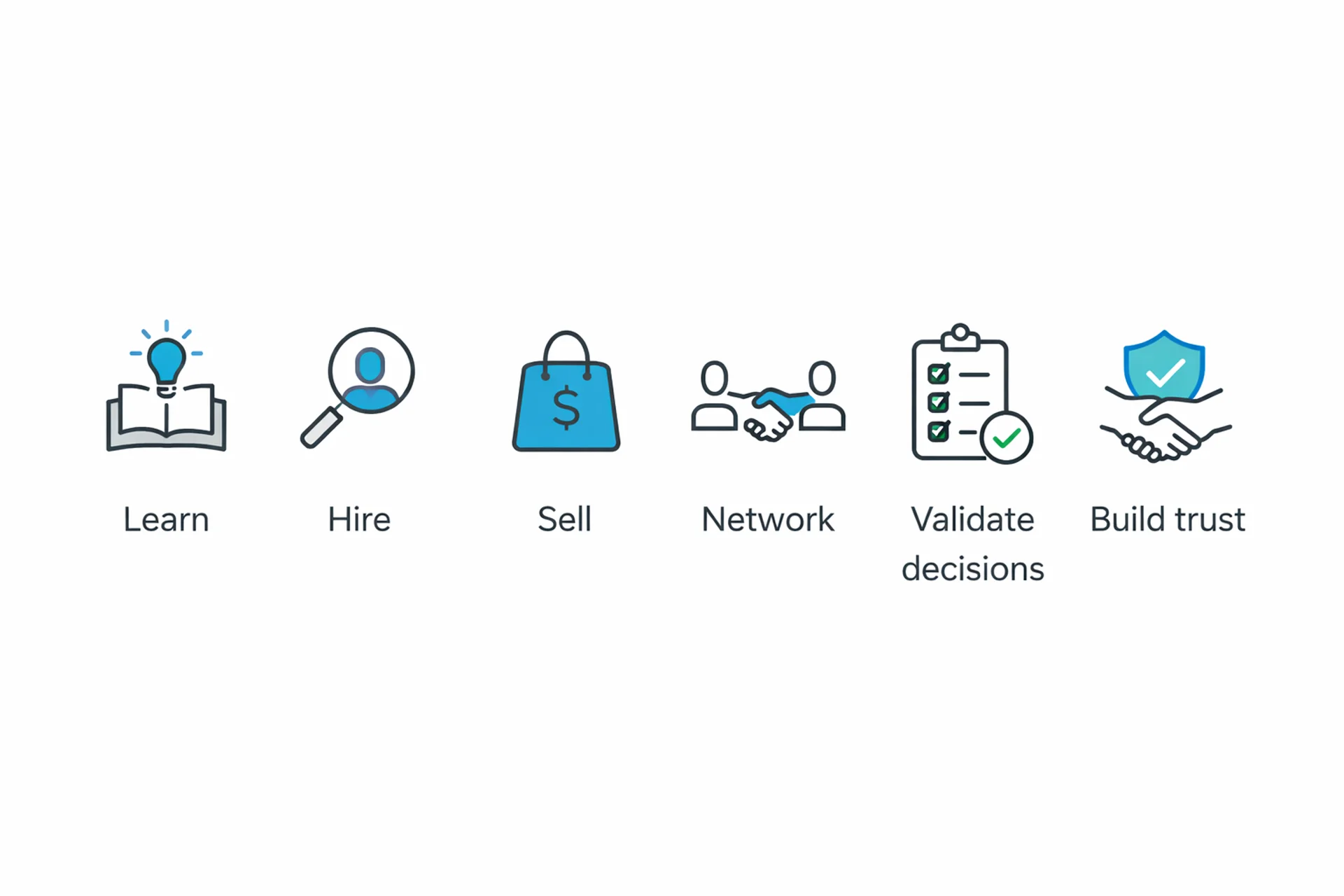
People don’t open LinkedIn to kill time. They open it to do professional “life admin”:
- learn something useful for work
- evaluate people and companies
- discover opportunities (jobs, partnerships, clients)
- build trust before reaching out
- validate decisions (“Is this approach normal? Is this tool worth it?”)
That’s why LinkedIn readers reward posts that are clear, practical, and credible. A good LinkedIn post feels like a helpful note from someone who’s been there, not a performance.
The best LinkedIn post structure
Most content today follows rules. If you know the rules, you don’t guess. You write.
A good LinkedIn post is not “a thought.” It’s a short, structured message designed to be read on mobile and understood fast.
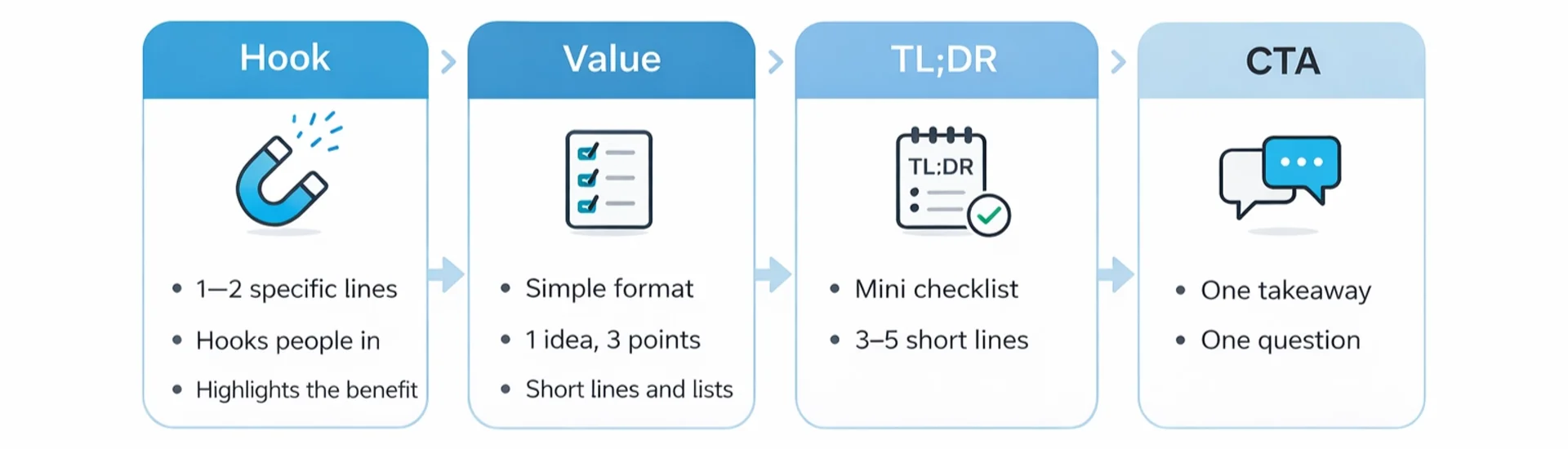
Below is a simple framework you can reuse every time. We’ll keep it to 4 parts:
Hook → Value (with formatting) → TL;DR → CTA
1. Hook
Before someone reads your post, they see only the first couple of lines. If those lines are vague or dense, they won’t tap “see more.” That’s why structure and formatting aren’t cosmetic on LinkedIn. That’s exactly why LinkedIn hooks matter more here than on any other platform. They’re the difference between being read and being ignored.
On LinkedIn, the hook is not a teaser. It’s a promise. The reader should understand what they’ll get, and why it’s worth their time, before they tap “see more.”
Strong hooks are:
- specific (not “some thoughts on productivity”)
- benefit-driven (what will change for the reader)
- slightly tense or curious (a mistake, a surprise, a hard truth)
What to avoid with hooks: cramming multiple ideas, over-explaining, or starting with throat-clearing lines like “Just sharing my thoughts…”
2. The value section
This is where most posts fail. People either write too much, or they stay so abstract there’s nothing to use.
The fix: choose one value format and commit to it.
Choose one format:
- Steps: best for “do this” advice
- Framework: best for a reusable mental model
- Before/After: best for a transformation or lesson learned
Format it for LinkedIn (this matters)
LinkedIn is skim-first. Make the value easy to consume:
- 1 sentence per line (most of the time)
- paragraphs are 1–3 lines
- lists are short and parallel
- avoid big text blocks
Lists that don’t feel like homework
- use numbered steps for how-tos
- use short bullets for frameworks
- keep each line to one idea
3. TL;DR section
A TL;DR is not repeating the post. It’s a compressed version that reads like a mini checklist.
It helps with:
- quick understanding
- saves
- readers who skim first
Good TL;DR rules:
- 3–6 short lines
- each line is 3–6 words
- should feel like a “cheat sheet”
4. The close
Your close is where reading turns into interaction.
A strong CTA is:
- a one-sentence takeaway (the point of the post)
- plus one easy question (so people can answer fast)
Avoid vague endings like “Thoughts?” or anything that feels like engagement bait.
If you followed the action callouts, you should now have everything you need for a complete LinkedIn post. Your first post doesn’t need to be perfect. It just needs to be real, useful, and published.
How Letterly Helps You Write LinkedIn Posts Faster
| Aspect | Writing it yourself 😵💫 | With Letterly 😎 |
|---|---|---|
| Getting started | Staring at the blank box, rewriting the first line 10 times | Hit record, talk for 60–90 seconds |
| Finding a hook | Overthinking, trying to sound “smart” | Say the idea out loud, Letterly helps with the hook |
| Keeping it clear | Rambling, too many points in one post | One idea extracted and structured automatically |
| Formatting | Big paragraphs, messy spacing | Clean short lines, scannable spacing, list-friendly |
| Editing time | 30–60 minutes (plus procrastination) | 5–10 minutes including a quick polish |
| Consistency | Depends on mood and energy | Same tone and structure every time |
Letterly solves the hardest part of posting: ideas show up at the wrong time, drafts take too long, and rewriting is annoying.
Here’s how to use it in this workflow:
- Capture voice notes fast
- Get a clean transcript
- Rewrite into a LinkedIn-ready draft (hook, structure, tone)
LinkedIn post checklist before you hit publish
✔️ Hook is specific
✔️ Topic is clear before “see more”
✔️ One idea only
✔️ Proof included
✔️ Easy to skim on mobile
✔️ Ends with a real question
I hope this article helped you write your first post without overthinking or wasting time. 😊
Got more questions? Email us at hi@letterly.app – we’re happy to help.