How to Think Out Loud and Review Your Pitch with Claude


Some thoughts only make sense once you say them. You start explaining an idea to a friend, and halfway through the sentence you realize what you actually mean. Or you hear yourself and think: wait, that part doesn’t work at all.
That’s thinking out loud. Speaking forces your brain to put loose ideas in order, one word after another. It’s why people talk to themselves in the shower, rehearse a hard conversation on the way to work, or explain a bug to a rubber duck.
The catch: spoken thoughts disappear. Five minutes later you remember the feeling of a good idea, not the idea itself.
Why it works even better on “paper”
With Letterly, every time you think out loud, you get two chances to find the answer:
- While you talk. You hear your own argument and notice what’s missing.
- When you read it back. Letterly turns your recording into clean text, and on the page you see things you didn’t hear: the point you made three times, the idea you dropped, the conclusion that came too late.
To make the text easier to read, apply Magic or Slightly from the General section of rewrite options. Slightly keeps your words and just tidies them up. Magic picks the best way to rewrite for you.
Your notes + Claude = a rehearsal coach
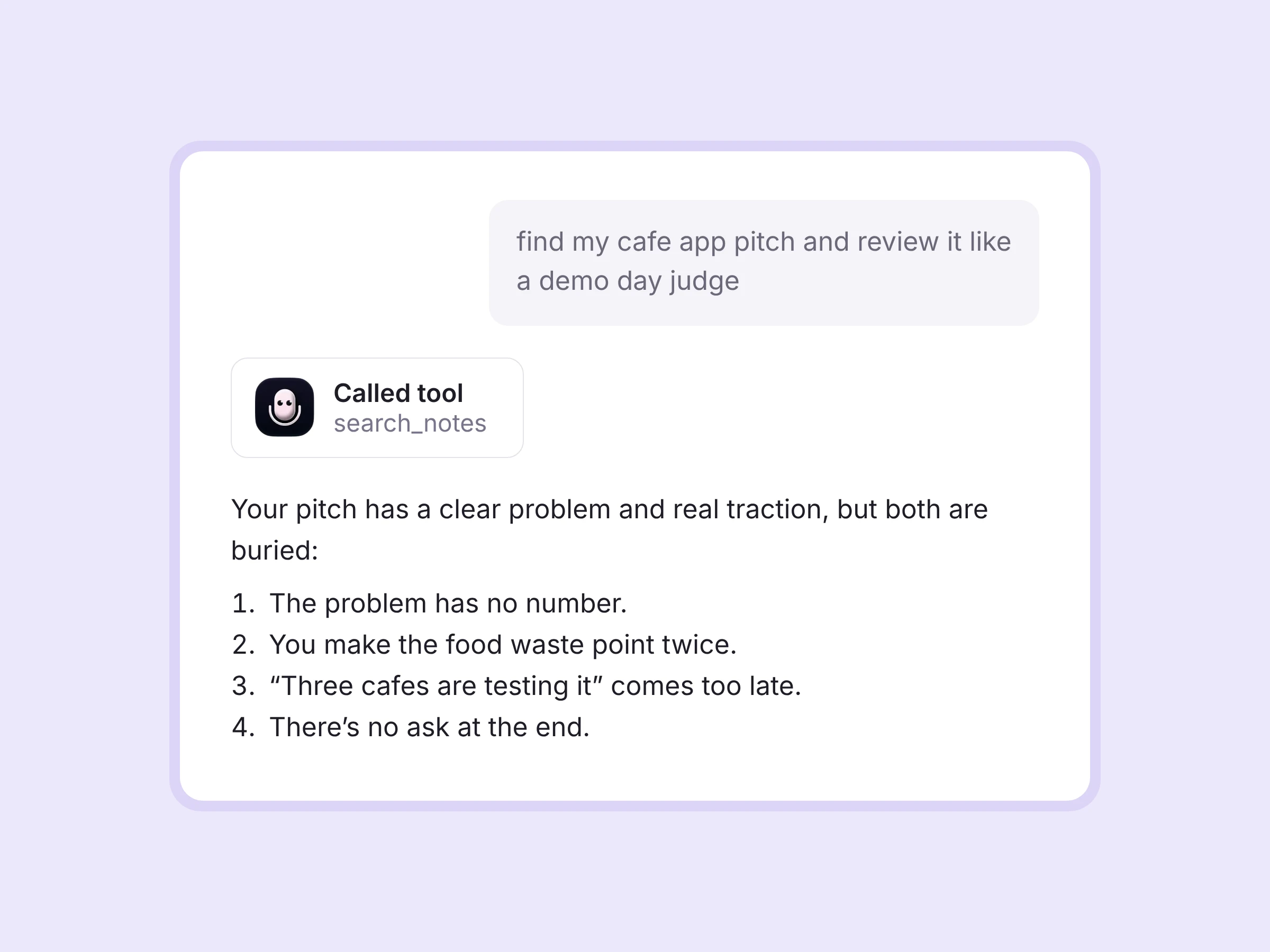
Letterly MCP is a connector that gives Claude access to your Letterly notes. Once it’s on, you don’t copy and paste anything. You just say “Find my pitch from this morning and tell me what’s not working”, and Claude opens the note itself.
So the workflow looks like this:
- Talk. Record your pitch or speech in Letterly, as many takes as you want.
- Ask. Open Claude and ask it to review the note.
- Fix. Record a better version, and compare the two.
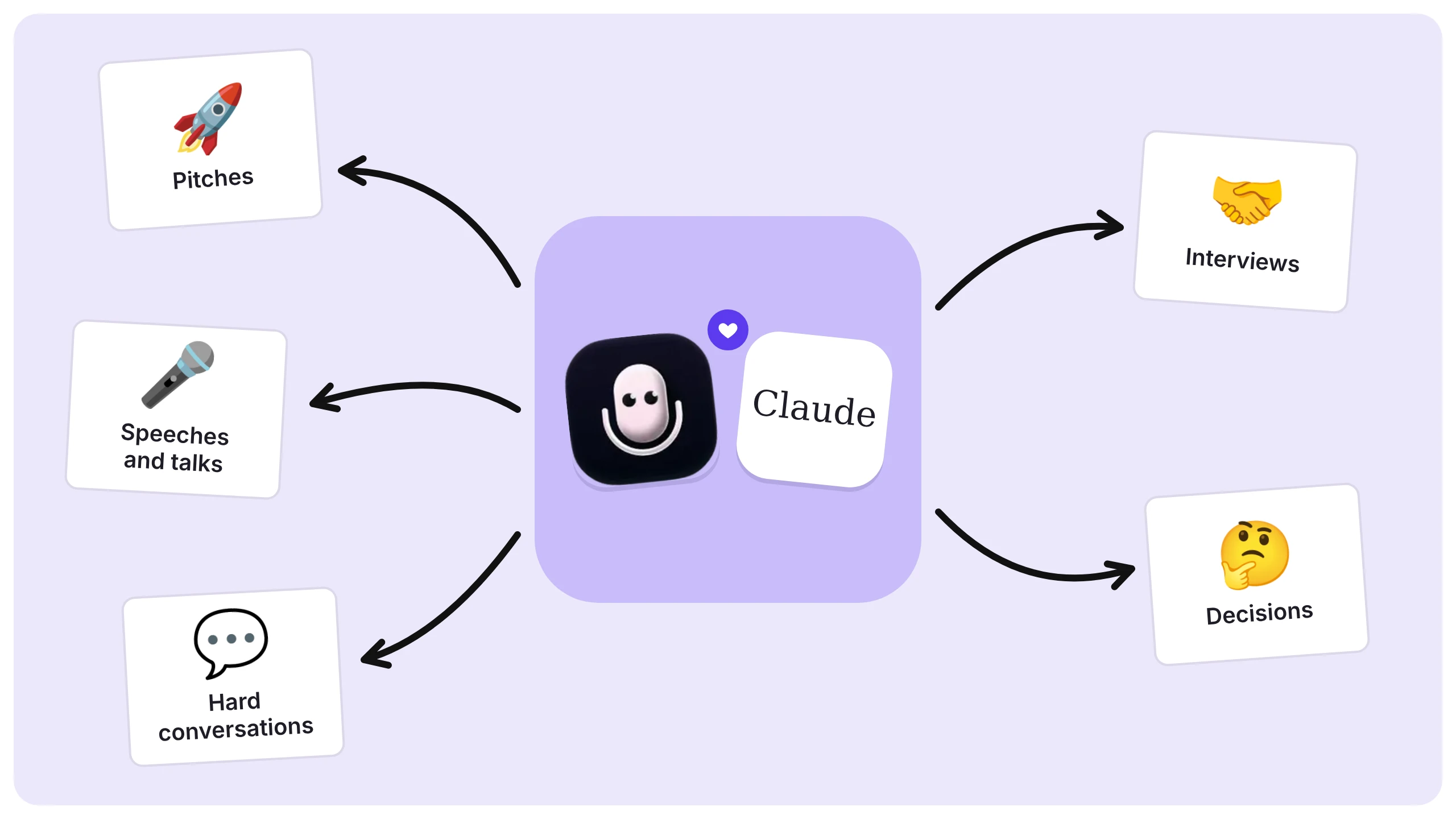
Use it for:
And this is where it gets interesting. Reading the text back is useful. But what if someone could read it with you, point out the weak spots and tell you how to fix them? That’s what Claude can do once it can see your notes.
Setup in 2 minutes
- Open claude.ai in your browser.
- Click your profile icon → Settings → Connectors.
- Click Add custom connector.
- Name it Letterly and paste the endpoint: https://mcp.letterly.app/mcp
- Click Save and log in with your Letterly account.
- Start a new chat.
What you need:
- A Letterly account.
- A Claude plan that supports custom connectors: Pro, Max, Team or Enterprise. On Team and Enterprise, your workspace admin may need to approve it.
How it works in practice
Let’s say you have a demo day on Friday. Here’s how to rehearse your pitch with Letterly and Claude.
Step 1. Record your pitch
Open Letterly, tap record and pitch your idea out loud, the way you’d say it on stage. No script, no second take. Tap Stop when you’re done.
Step 2. Read it back
A few seconds later, Letterly turns your recording into a note. Here’s a short piece of it:
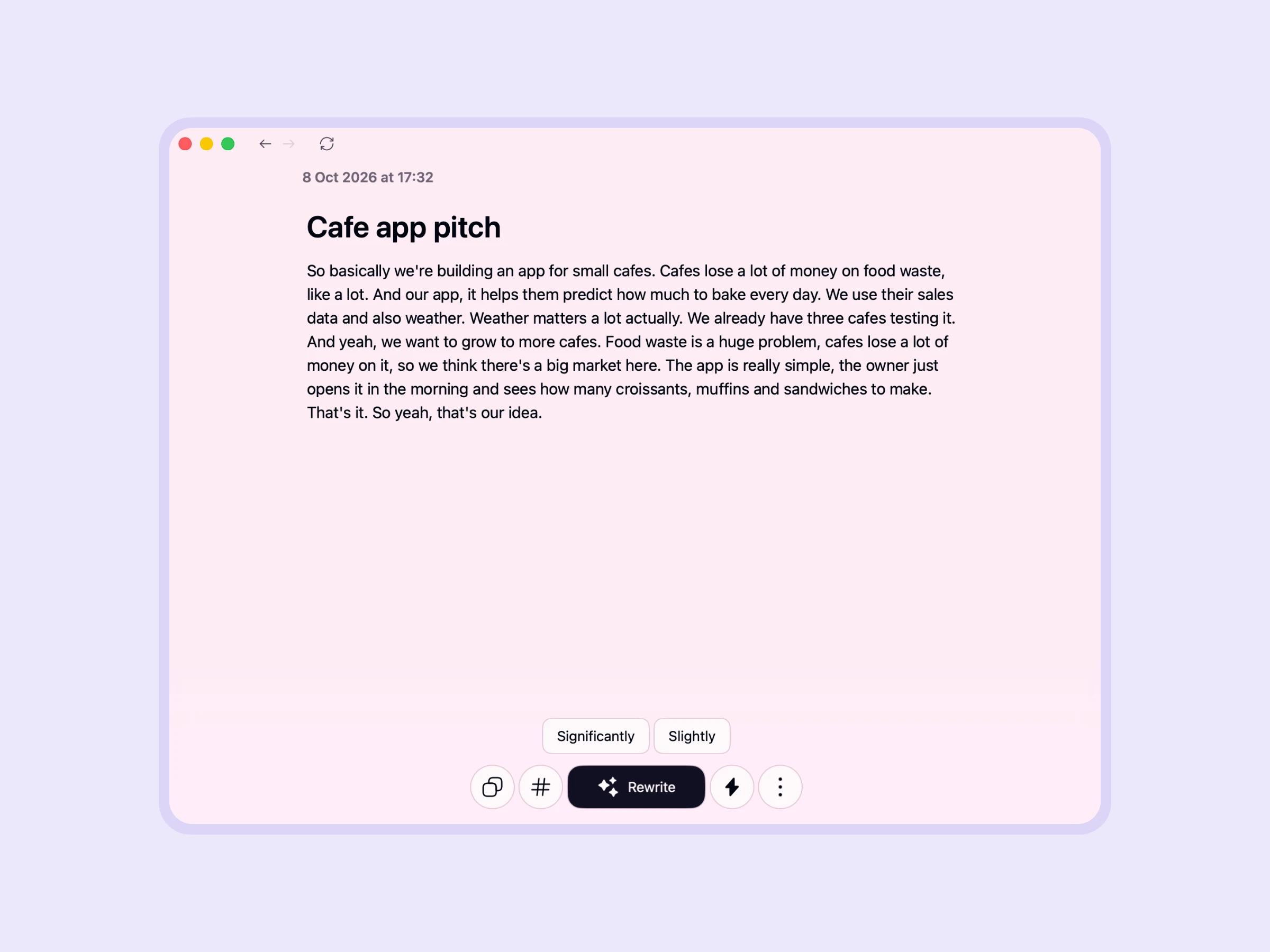
It sounds fine when you say it, and it may even look fine on the page. But let’s see what Claude notices. It’s a much pickier listener than we are.
Step 3. Ask Claude for a review
Open a new chat in Claude and write:
Find my latest note about the cafe app pitch. Review it like a demo day judge: what’s unclear, what’s missing, what I repeat, and where I lose the listener. Then give me 3 concrete fixes.
Claude finds the note through Letterly MCP and reviews it. Here’s its real answer to our test pitch, slightly shortened:
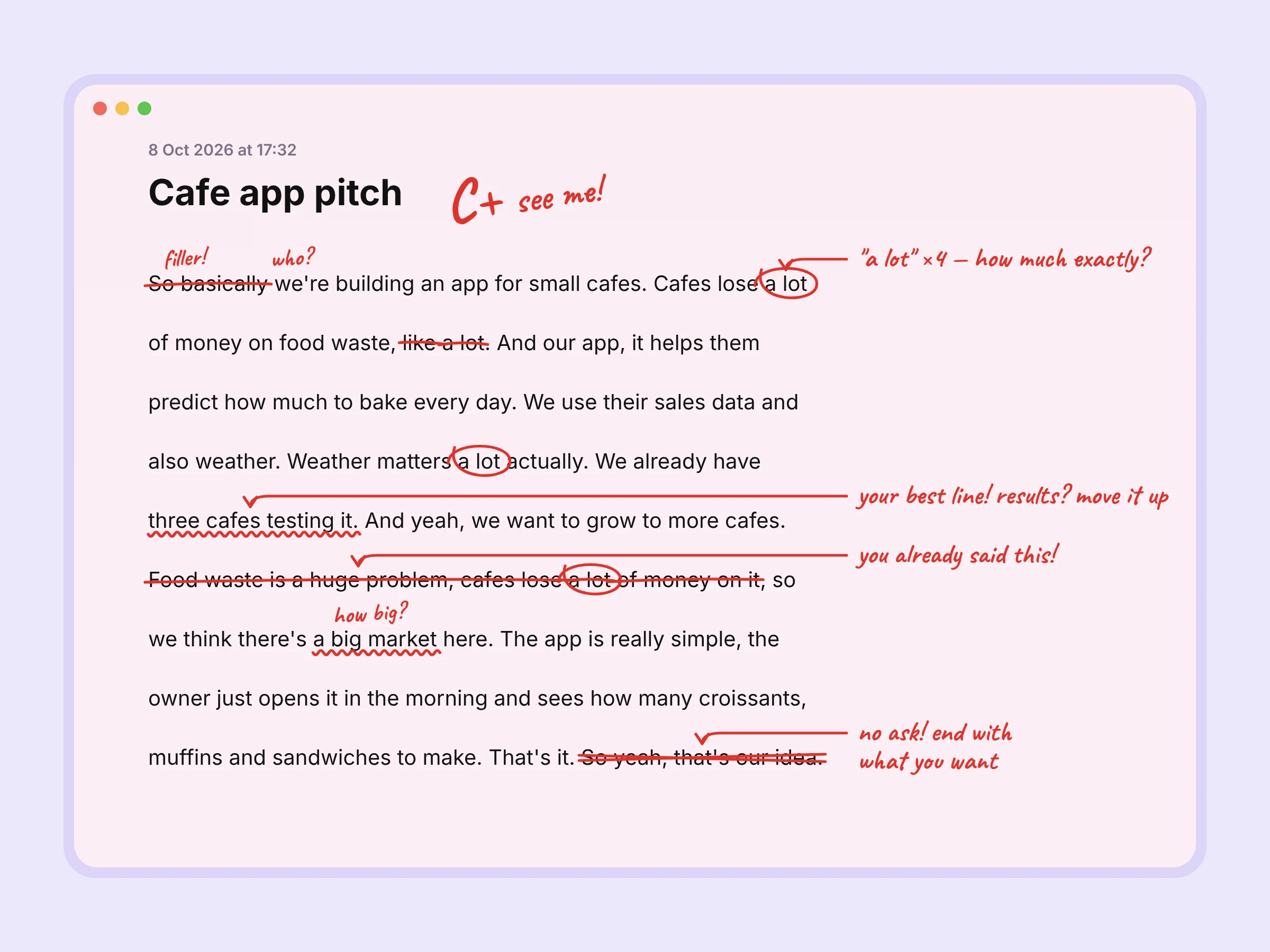
I found your note “Cafe app pitch” in Letterly, recorded today. It’s about 110 words, so roughly 45 seconds spoken. Here’s how it sounds from the judges’ table.
What’s unclear. Who “we” are, and how much “a lot” of money is. You mention three test cafes, but not the results, so right now that reads as activity, not proof.
What’s missing. Results, a business model, market size, and the ask: what you want from the room.
What you repeat. “Cafes lose a lot of money on food waste” appears twice, almost word for word. “A lot” appears four times.
Where you lose the listener. The opening, “So basically we’re building an app”, doesn’t catch anyone. Right after your strongest line, you go back to the problem. And “So yeah, that’s our idea” just fades out.
3 concrete fixes:
1. Open with a scene and a number: “Every evening, the average small cafe throws away [X] croissants.”
2. Use one clear order and say each point once: problem → the morning screen → why it works → proof → business model → ask.
3. Swap every vague word for a number, and end with an ask: “In 6 weeks, our 3 pilot cafes cut waste by [X]%.”
Notice that Claude catches things that are hard to hear while you talk: the same phrase said twice, a word repeated four times, an ending with no ask. It even offered to rewrite the whole pitch for a 60-second or 3-minute slot once you share your pilot numbers.
Step 4. Record take two and compare
Fix what Claude pointed out and record your pitch again. Then ask Claude:
Compare my last two notes with the cafe app pitch. What got better and what still needs work?
Watch the whole workflow in a short video:
That’s it, congratulations! 🎉 Record, ask, fix, repeat. Make it a habit, and your pitches and talks will get sharper with every take. 🤩
Below you’ll find ready-made prompts and a few tips to make your think-out-loud routine even easier. 👇
Prompts to try 💡
Copy these and swap in your own topic.
Find the weak spots
- Read my note “Investor pitch” and tell me which sentence a listener would forget first.
- What questions would an investor ask after hearing this pitch? List the 5 hardest ones.
- Where does my argument jump? Show me the places where I skip a step.
Check structure and length
- Split my talk from yesterday into intro, main points and ending. Is anything missing?
- My speech has to fit into 3 minutes. Based on the text, is it too long? What can I cut?
- Find every place where I repeat the same idea.
Compare takes
- Compare my last two notes with the pitch. What got better and what got worse?
- Look at all my pitch practice notes from this week. What mistake do I keep making?
Prepare for a hard conversation
- Here’s how I plan to ask my manager for a raise (my note from this morning). Play my manager and push back on my weakest argument.
Turn it into a script
- Rewrite my pitch into a 60-second version. Keep my words where you can, so it still sounds like me. Save it as a new note in Letterly.
Tips ✅
- Talk, don’t read. Don’t write a script first. The point is to hear how you explain it naturally.
- Name your notes. “Pitch, take 2” is easier for Claude to find than “Note from Tuesday”.
- Use Record more. Add a new take to the same note, so all versions stay together.
- Listen to the audio for “ums”. Letterly removes filler words and pauses from the text, so Claude reviews what you said, not how you sounded. For your voice and pace, play the recording back in the note.
- Ask Claude to be strict. “Be honest, don’t be nice” gets you more useful feedback.
Next time you have something important to say, say it to Letterly first. 🎤
Got questions? Email us at hi@letterly.app — we’re happy to help.